Logitech App Design
How might we provide a unified pairing experience for Logitech devices in one app?
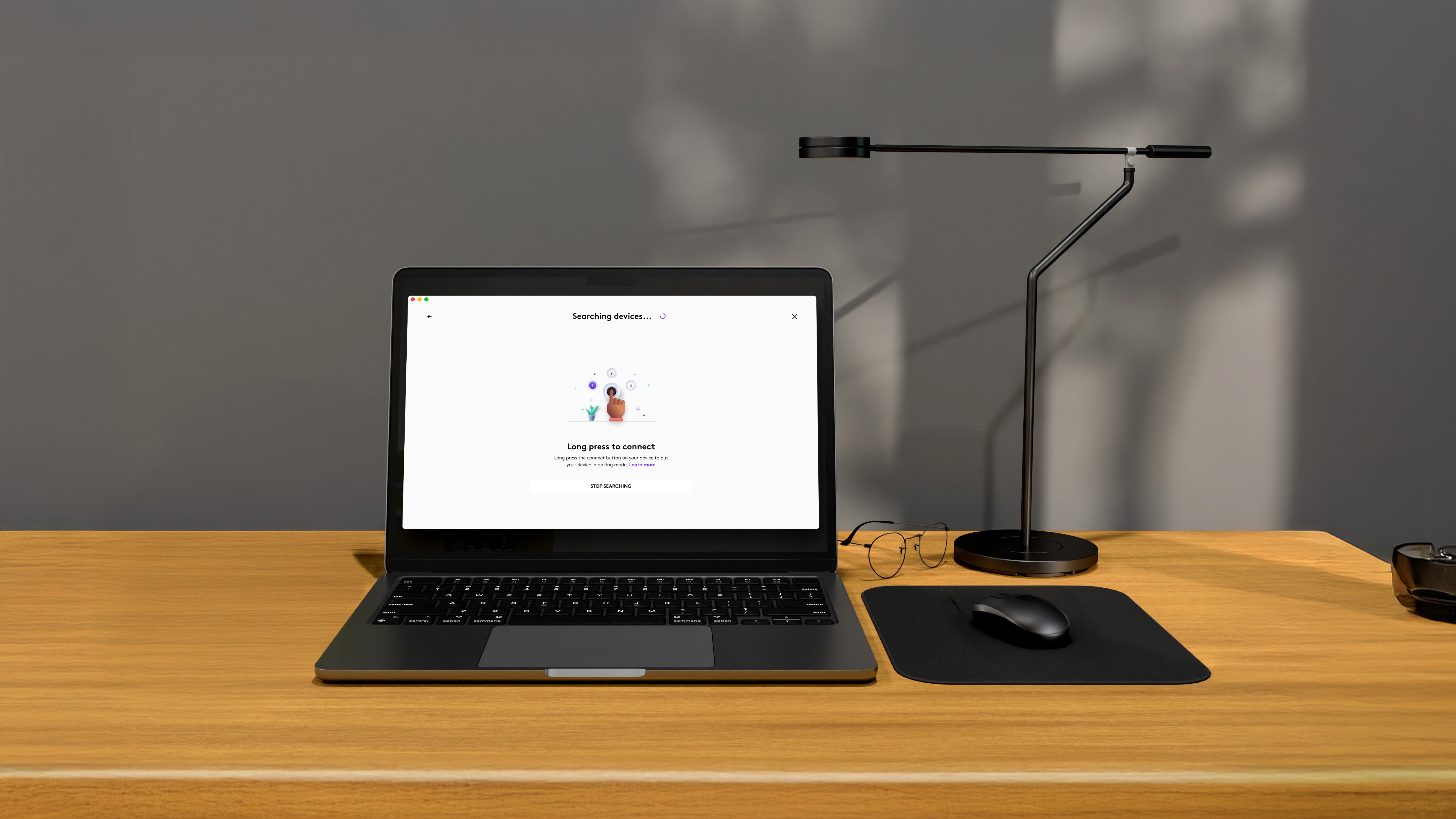
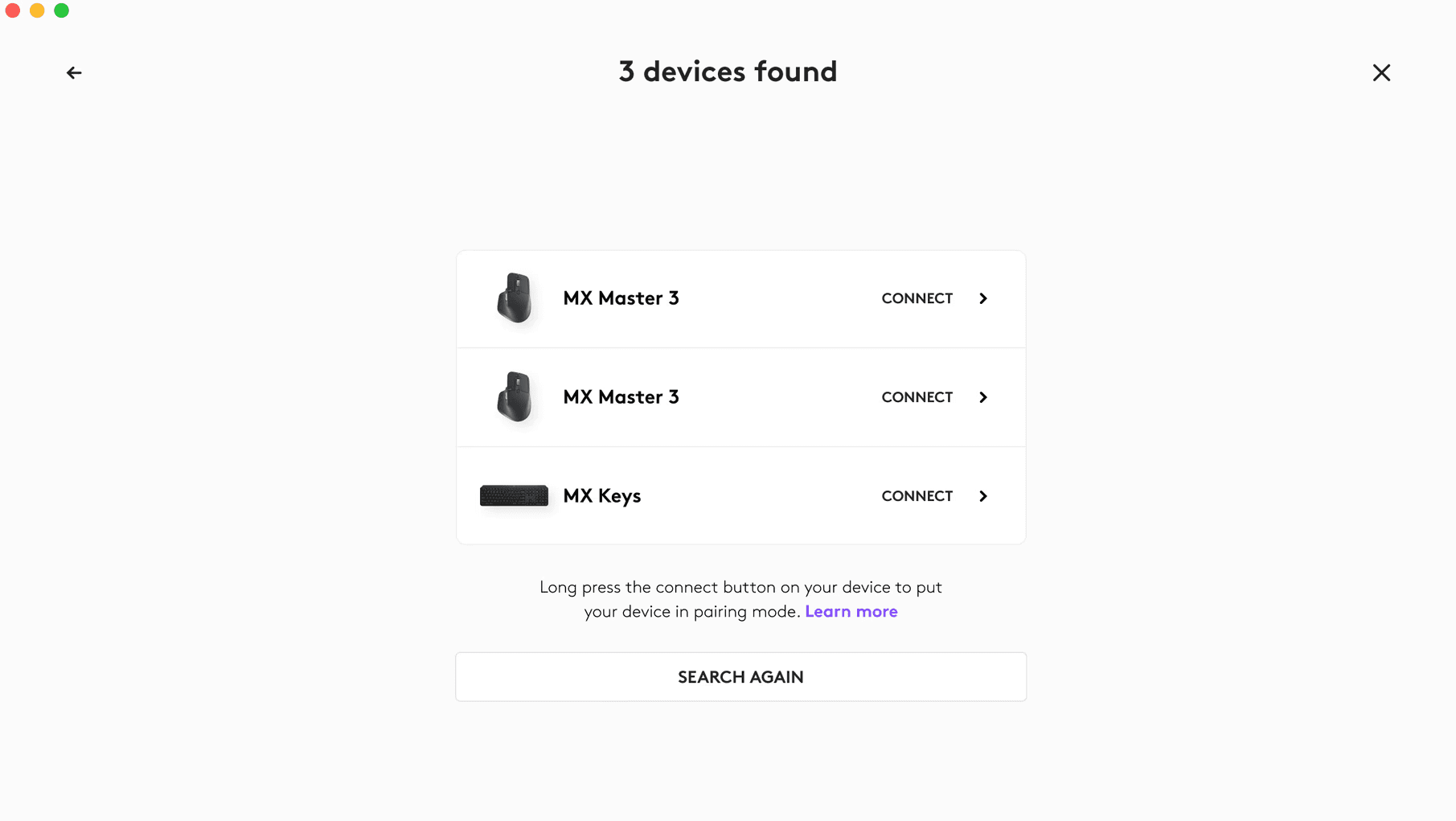
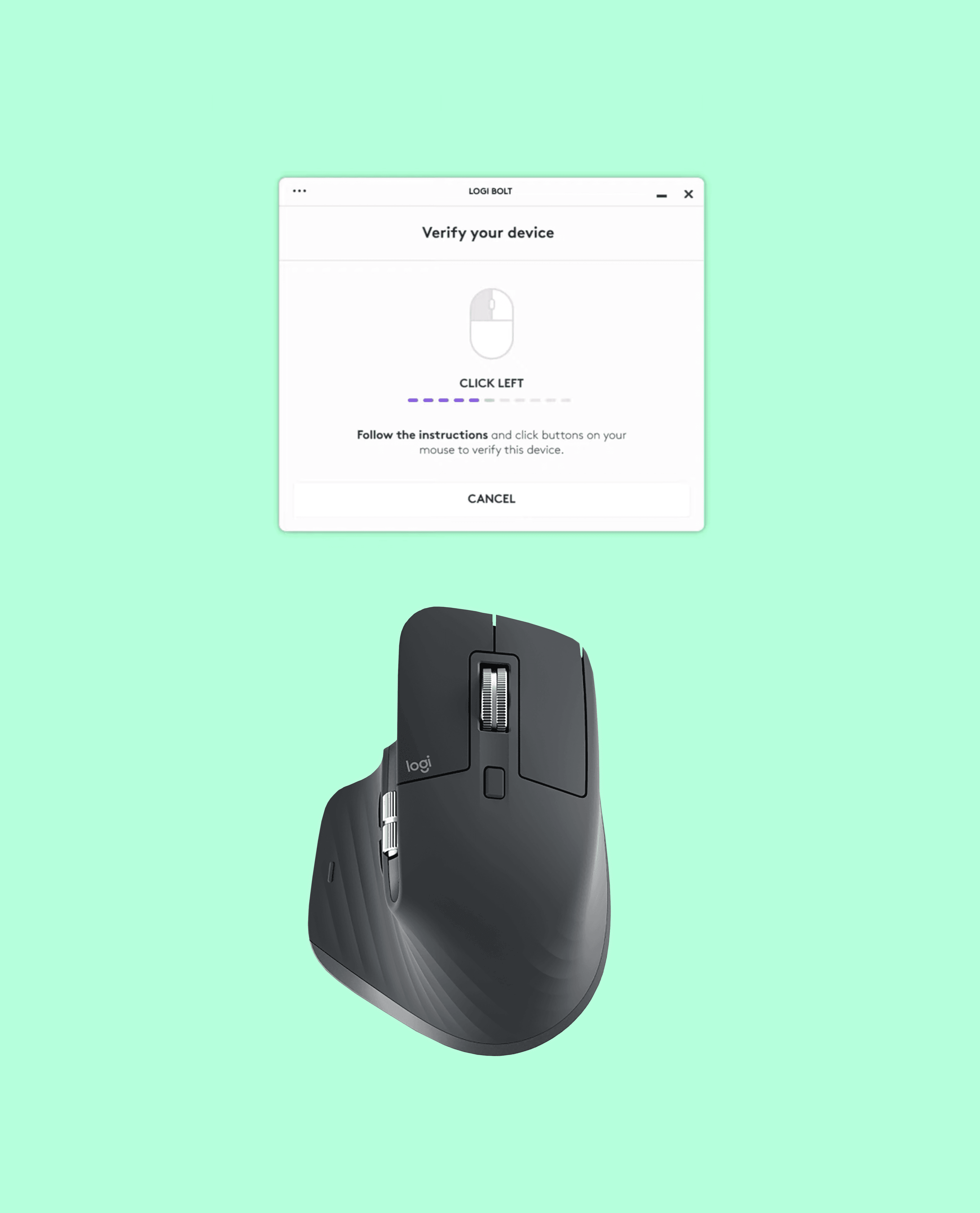
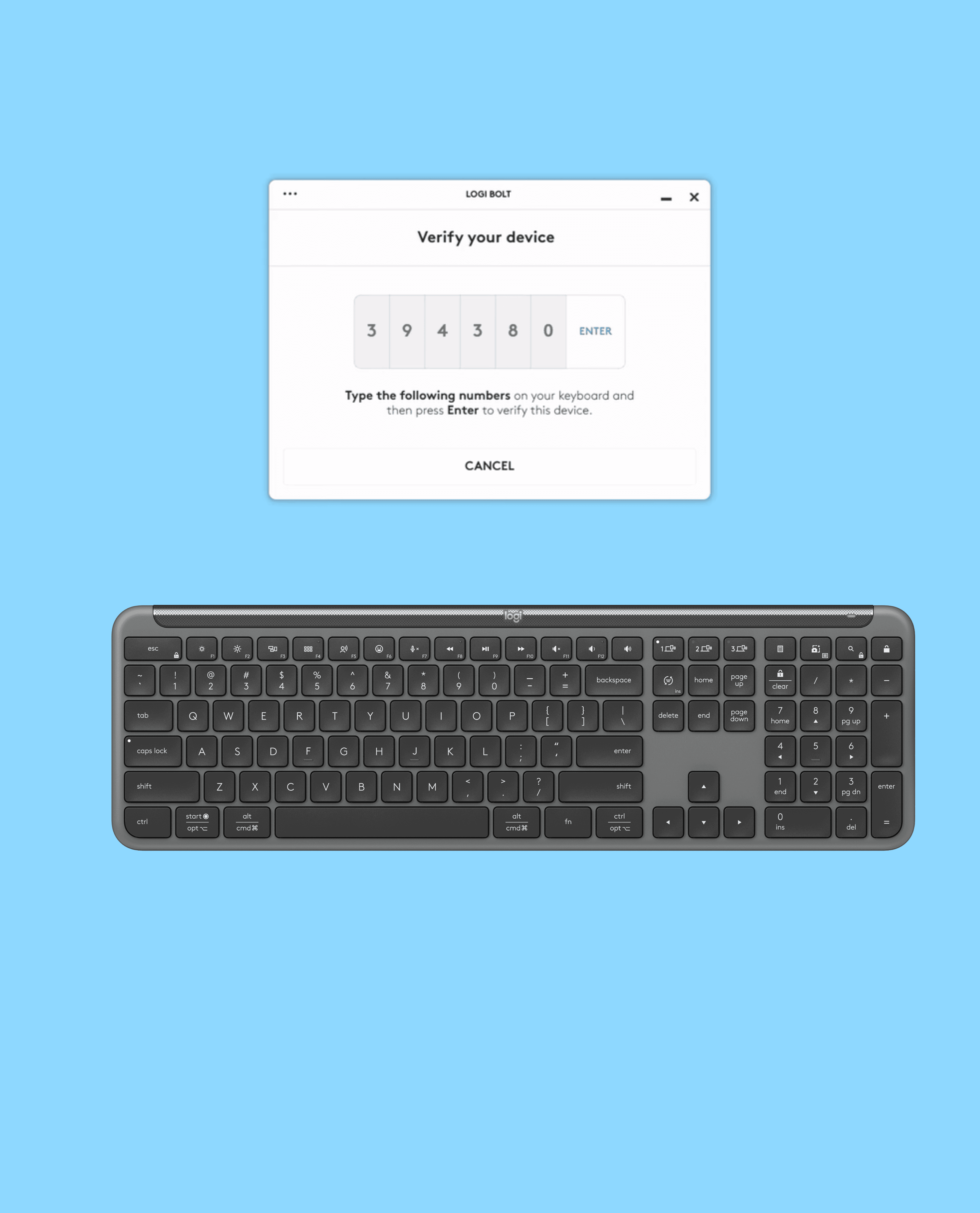
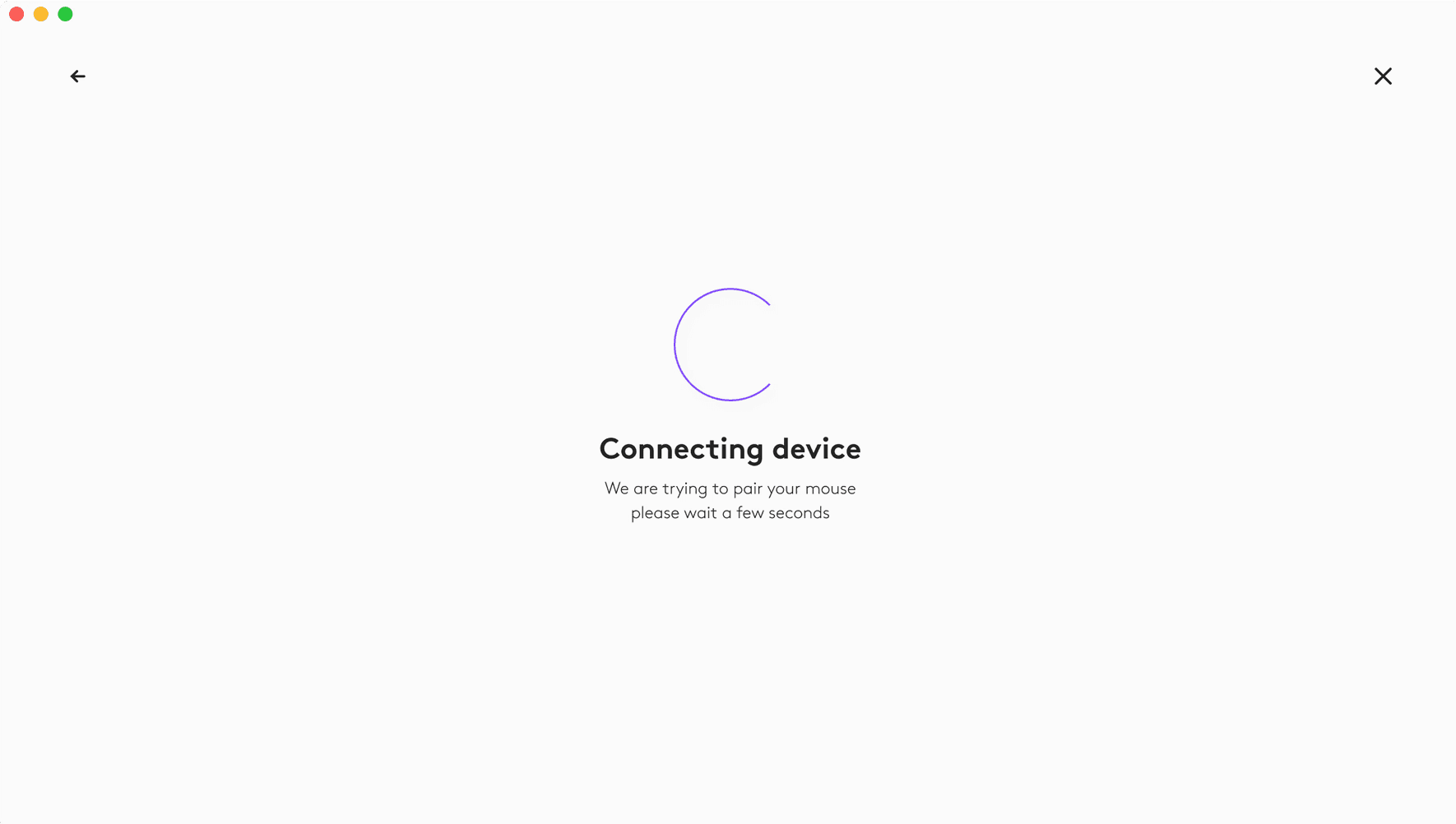
As a product designer, I joined the team and played an instrumental role in defining the user experience (UX) for input monitoring during device pairing. Input monitoring refers to the process of recognizing a device through specific actions such as pressing keys on a keyboard or tapping right or left clicks on a mouse. My contribution helped to ensure that the pairing process was intuitive and user-friendly. With one app Logitech users can now add up to 12 devices.
Challenge
Complexity in Customization, users often struggle with configuring shortcuts, gestures, and button mapping efficiently. We had to ensure seamless settings synchronization across multiple devices. Technical challenges caused delays caused delays in executing commands or switching profiles impacted connectivity. Many users don’t utilize advanced features due to a lack of intuitive UI cues.
Strategy
We implemented interactive walkthroughs and recommendations for first-time users. Contextual tooltips to explain settings in real-time. Enable users to store profiles in the cloud and access them across devices and receivers. Implement instant feedback mechanisms during the connectivity process.
Design
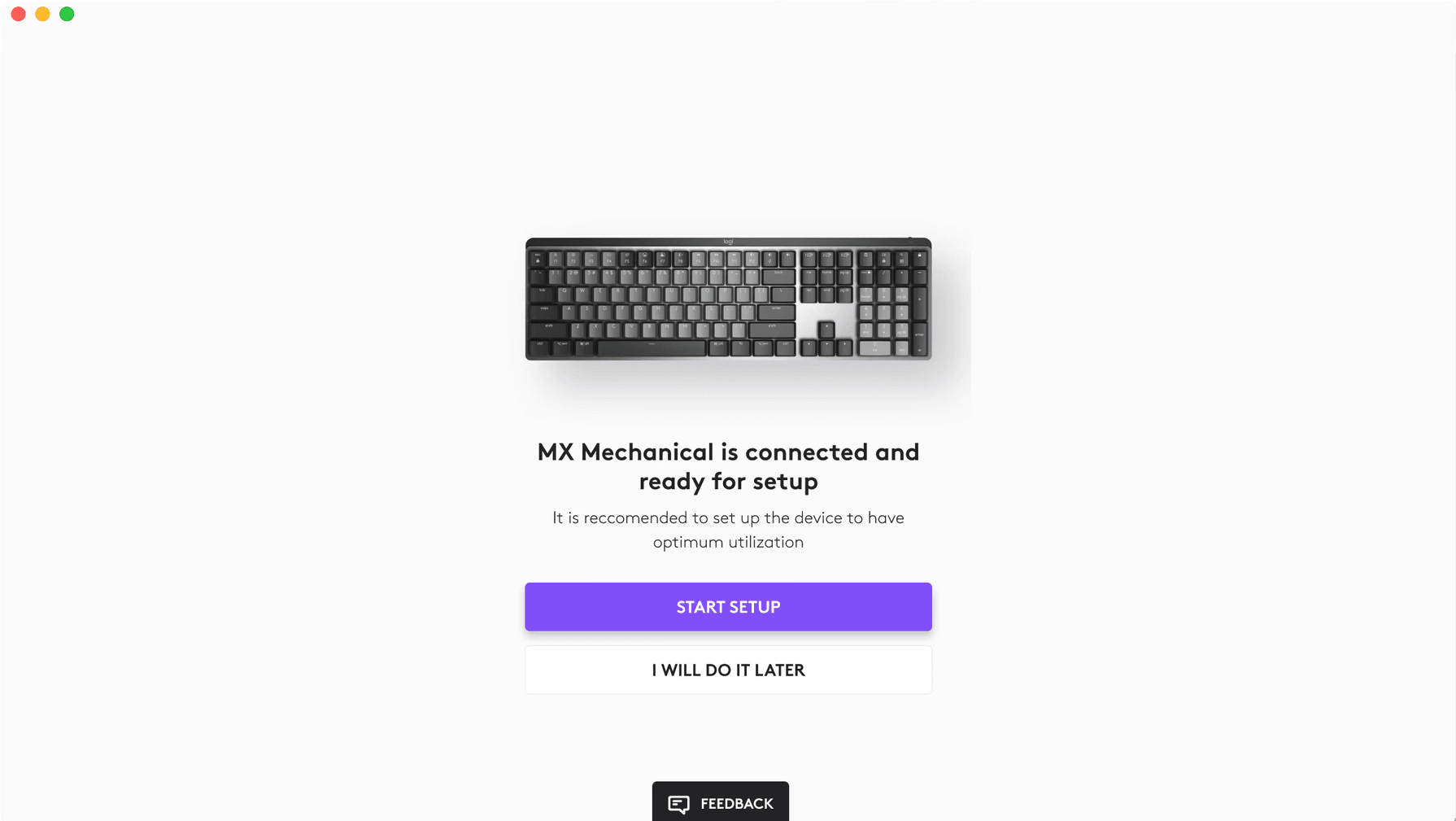
A visual layout of devices, where users can click on buttons and complete actions effortlessly. We also designed a minimalist dashboard showing connected devices, active devices, and battery status after connection.
Design incorporated -
A tabbed interface for switching between devices quickly, auto-detection of new Logitech devices with easy pairing options.
Design included subtle animations and haptic feedback to confirm action performed, personalised themes and icon sets for a user-friendly experience.
Other devices that we covered are - mic, pointers, MX mouse, MX keyboard, MX trackpad.
More Work
FAQ
01
What do I need to get started?
02
How is the pricing structure?
03
Are all projects fixed scope?
04
What is the ROI?
05
How do we measure success?
06
How easy is it to edit for beginners?
07
Do I need to know design?
Logitech App Design
How might we provide a unified pairing experience for Logitech devices in one app?
As a product designer, I joined the team and played an instrumental role in defining the user experience (UX) for input monitoring during device pairing. Input monitoring refers to the process of recognizing a device through specific actions such as pressing keys on a keyboard or tapping right or left clicks on a mouse. My contribution helped to ensure that the pairing process was intuitive and user-friendly. With one app Logitech users can now add up to 12 devices.
Challenge
Complexity in Customization, users often struggle with configuring shortcuts, gestures, and button mapping efficiently. We had to ensure seamless settings synchronization across multiple devices. Technical challenges caused delays caused delays in executing commands or switching profiles impacted connectivity. Many users don’t utilize advanced features due to a lack of intuitive UI cues.
Strategy
We implemented interactive walkthroughs and recommendations for first-time users. Contextual tooltips to explain settings in real-time. Enable users to store profiles in the cloud and access them across devices and receivers. Implement instant feedback mechanisms during the connectivity process.
Design
A visual layout of devices, where users can click on buttons and complete actions effortlessly. We also designed a minimalist dashboard showing connected devices, active devices, and battery status after connection.
Design incorporated -
A tabbed interface for switching between devices quickly, auto-detection of new Logitech devices with easy pairing options.
Design included subtle animations and haptic feedback to confirm action performed, personalised themes and icon sets for a user-friendly experience.
Other devices that we covered are - mic, pointers, MX mouse, MX keyboard, MX trackpad.
More Work
FAQ
01
What do I need to get started?
02
How is the pricing structure?
03
Are all projects fixed scope?
04
What is the ROI?
05
How do we measure success?
06
How easy is it to edit for beginners?
07
Do I need to know design?
Logitech App Design
How might we provide a unified pairing experience for Logitech devices in one app?
As a product designer, I joined the team and played an instrumental role in defining the user experience (UX) for input monitoring during device pairing. Input monitoring refers to the process of recognizing a device through specific actions such as pressing keys on a keyboard or tapping right or left clicks on a mouse. My contribution helped to ensure that the pairing process was intuitive and user-friendly. With one app Logitech users can now add up to 12 devices.
Challenge
Complexity in Customization, users often struggle with configuring shortcuts, gestures, and button mapping efficiently. We had to ensure seamless settings synchronization across multiple devices. Technical challenges caused delays caused delays in executing commands or switching profiles impacted connectivity. Many users don’t utilize advanced features due to a lack of intuitive UI cues.
Strategy
We implemented interactive walkthroughs and recommendations for first-time users. Contextual tooltips to explain settings in real-time. Enable users to store profiles in the cloud and access them across devices and receivers. Implement instant feedback mechanisms during the connectivity process.
Design
A visual layout of devices, where users can click on buttons and complete actions effortlessly. We also designed a minimalist dashboard showing connected devices, active devices, and battery status after connection.
Design incorporated -
A tabbed interface for switching between devices quickly, auto-detection of new Logitech devices with easy pairing options.
Design included subtle animations and haptic feedback to confirm action performed, personalised themes and icon sets for a user-friendly experience.
Other devices that we covered are - mic, pointers, MX mouse, MX keyboard, MX trackpad.
More Work
FAQ
What do I need to get started?
How is the pricing structure?
Are all projects fixed scope?
What is the ROI?
How do we measure success?
How easy is it to edit for beginners?
Do I need to know design?